 Instagram Story Viewer
Instagram Algorithm Explained: How Content Gets Recommended
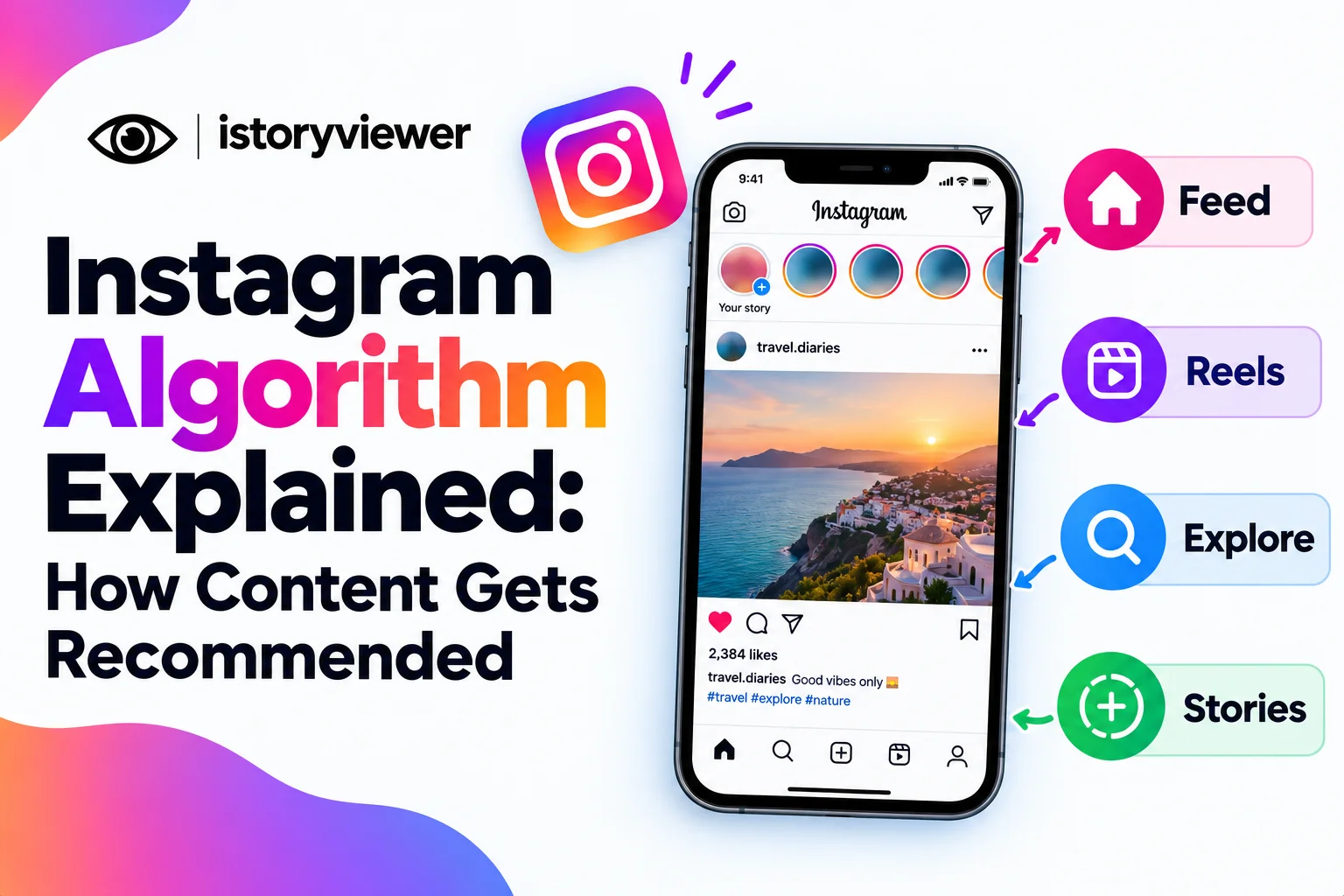
Many creators picture one secret Instagram algorithm deciding their fate. That’s not how it works. Instagram uses several systems, each built for a different part of the app.
Understanding the Instagram algorithm helps you see how content gets recommended to new people. Every detail here comes from Instagram’s own explanations, not guesswork. There’s plenty you can control too, both as a creator and a viewer. Small changes in how you post can shift where your content appears.
There Is No Single Instagram Algorithm
In Instagram Ranking Explained, Adam Mosseri says Instagram has no single algorithm controlling what people see. It uses a variety of algorithms, classifiers, and processes, each with its own purpose.
Feed, Stories, Explore, Reels, and Search each rank content in their own way. That makes sense, because people use each space differently. They look for close friends in Stories, discover new creators in Explore, and seek entertainment in Reels.
So when your reach changes, ask which surface changed. A post might do well in Feed but struggle in Explore. Each part rewards slightly different behavior.
How Instagram Ranks Your Feed
Feed mixes posts from accounts you follow, recommended posts, and ads. Instagram ranks them using thousands of signals. The most important, roughly in order, are:
Your activity, like posts you’ve liked, shared, saved, or commented on.
Information about the post, including popularity and posting time.
Information about the person who posted it.
Your history of interacting with that person.
From these signals, Instagram predicts how you’ll react. It weighs five predictions most heavily. These are whether you’ll pause on a post, comment, like, share, or tap the profile photo. Instagram also avoids showing too many posts from one person in a row.
How Reels and Explore Recommend Content
Explore and Reels mostly show content from accounts you don’t follow. That’s where recommendations matter most for growth.
Explore Ranking
Explore predicts how likely you are to like, save, or share a post. Popularity signals, like how quickly others engage, matter much more here than in Feed. Your past activity in Explore also shapes what appears next.
Reels Ranking
Reels place the biggest emphasis on entertainment. Instagram predicts whether you’ll reshare a reel, watch it to the end, like it, or visit its audio page. The Instagram Help Center says suggested reels favor vertical videos and Instagram music or original audio. It shows fewer reels that are blurry, muted, watermarked, or mostly text.
Recommendation Guidelines and Account Status
Recommended content follows stricter rules than your followers’ feeds. Instagram’s Recommendations Guidelines cover content that’s allowed but may not be recommended to non-followers. Examples include violence or posts promoting regulated products like tobacco.
If an account repeatedly breaks these rules, none of its posts can be recommended for a period of time. Content can still reach existing followers in Feed and Stories.
Professional accounts can check Account Status to see if they’re eligible. It shows whether content or profile details break the guidelines. You can remove that content or request a review. Eligibility doesn’t guarantee recommendations, but it’s the first step.
Why Original Content Gets Priority
Instagram now favors creators over accounts that repost. Its recommendations and originality guidelines explain two key changes. When identical content appears, the original replaces reposts in recommendations. Aggregator accounts also lose eligibility until they drop below 10 reposts in 30 days.
This matters if you save reels from other creators. iStoryViewer can save a public reel as a clean MP4 with audio. That’s useful for studying formats or backing up your own work. Reuploading someone else’s reel, however, won’t earn you recommendations. It can also violate the creator’s rights. Post your own reels, or collaborate with creators who give permission.
How to Get Your Content Recommended
Instagram’s official guidance points to a few simple habits:
Keep your account public, since recommendations require it.
Post original reels filmed vertically.
Use Instagram’s music library or original audio.
Avoid watermarks, borders, and heavy on-screen text.
Check Account Status regularly for any issues.
Real engagement still drives most of the ranking. Shares, saves, and full watches signal that people value your content. Bought engagement does the opposite, which is why Instagram bots cause more harm than good. Focus on content your audience would happily send to a friend. Consistent posting gives the system more chances to learn who likes your work.
How to Control What the Algorithm Shows You
You influence your own recommendations every time you interact. Instagram also gives you direct controls:
Add accounts to Favorites so their posts appear higher in Feed.
Switch to Following to see the last 30 days of posts in chronological order.
Snooze all suggested posts in your feed for 30 days.
Tap Not Interested on recommended posts you don’t enjoy.
Adjust the Sensitive Content Control for accounts you don’t follow.
Want to know why a post appeared? Tap the three dots and choose Why you’re seeing this post. Instagram will list some of the signals behind it.
Frequently Asked Questions
Does Instagram shadowban accounts?
Instagram says it doesn’t intend to hide content without explanation. Content that breaks the guidelines may not be recommended to non-followers. Account Status shows whether that’s happening and lets you appeal. Check it first whenever your reach suddenly drops.
Do I need to pay for ads to get reach?
No, Instagram says it doesn’t suppress content to push people toward ads. It's business benefits when engaging creators reach interested audiences. Ads add paid reach, but organic recommendations stay open to everyone. Strong original content remains the main driver.
How does the algorithm rank Instagram stories?
Stories come from accounts you follow, ranked by viewing history, engagement history, and closeness. Instagram predicts whether you’ll tap, reply, or move on. Regular viewers and frequent repliers usually see your stories first. These habits that increase story views build on those signals.
Can I see Instagram posts in chronological order?
Yes, choose Following from the Feed menu. It shows the last 30 days of posts from accounts you follow, newest first. You can also view a Favorites feed with posts only from accounts you choose. Your regular feed stays ranked by default.
Do hashtags still help with recommendations?
Instagram’s ranking explanation doesn’t list hashtags as a key signal. It highlights activity, post popularity, and interaction history instead. Hashtags can still describe your topic for people searching. Use a few relevant ones, but don’t rely on them for reach.