 Instagram Story Viewer
How to Know When Someone Is Online on Instagram?
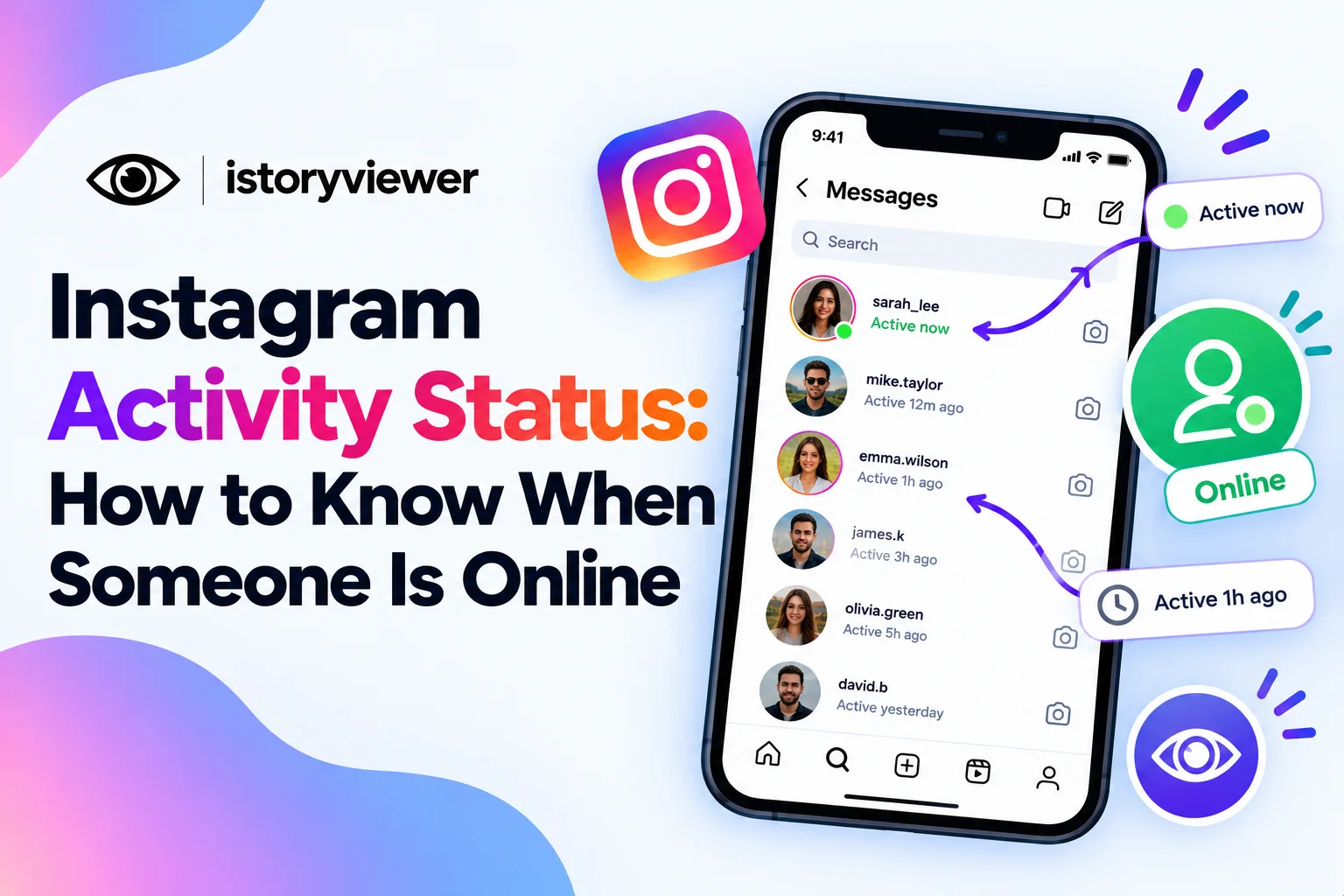
You sent a message, and you’re waiting for a reply. You wonder whether the other person is even on Instagram right now. That little green dot or “Active” label holds the answer.
Below, you’ll learn how Instagram activity status works and how to know when someone is online. You’ll also see why the status sometimes disappears and how to hide your own. Everything is based on Instagram’s own settings and help pages.
What Is Instagram Activity Status?
Activity status shows when someone is active or was last active on Instagram. The Instagram Help Center explains that it appears next to profile pictures in Instagram Direct. You’ll see a green dot or a timestamp showing their last activity.
Not everyone can see it. When your status is on, people you follow and anyone you message can see it. Random accounts outside those groups aren’t included. You can also choose to show when you’re active in a specific chat.
The feature also works both ways. If you turn yours off, you lose the ability to see anyone else’s status.
How to Know When Someone Is Online on Instagram
Activity status lives inside your messages, not on profiles. Here’s how to check it:
Open Instagram and tap the messages icon.
Look at the profile pictures in your chat list.
Spot a green dot next to anyone who’s online now.
Read the timestamp under a name, like “Active 2h ago.”
Open a chat to see their status at the top.
A green dot usually means they’re on Instagram right now. A timestamp shows roughly when they were last active. If you see nothing at all, their status is hidden or unavailable to you. The label updates as they open or close the app.
Why You Can’t See Someone’s Activity Status
A missing status doesn’t always mean someone is hiding. One of these reasons is usually behind it:
They turned off their activity status. Anyone can switch it off in settings at any time.
You turned off your own status. Hiding yours also hides everyone else’s from you.
You don’t follow or message each other. Status only shows within those connections.
Check your own setting first, since that’s the easiest fix. If yours is on and theirs is missing, they likely chose privacy. That choice deserves respect, so don't read too much into it. A missing status and slow replies are also common signs people misread when wondering if someone muted you.
How to Turn Your Activity Status On or Off
You control who sees when you’re online. Here’s how to change your setting:
Tap your profile picture to open your profile.
Tap the menu in the top right.
Under How others can interact with you, tap Messages and story replies.
Tap Show activity status on the next screen.
Switch the toggle on or off.
Remember the trade-off before you switch it off. You’ll stop seeing other people’s activity status too. Many people turn it off for quieter, pressure-free scrolling. Your messages and chats keep working the same way. You can turn it back on anytime.
Don’t Use Activity Status to Monitor Someone
Checking whether a friend is online before messaging is normal. Watching a partner’s status all day is something else. Constant checking can feed anxiety and damage trust.
Most people see secret monitoring as crossing a line. Pew Research Center found seven in ten Americans call checking a partner’s phone in secret rarely or never acceptable. Spy apps that promise to track someone’s Instagram activity raise the same concern.
Many of those apps also ask for logins or full phone access. That puts your data and the other person’s privacy at risk. If someone’s online habits worry you, a direct conversation helps more.
Watch Saved Reels Offline Without Opening Instagram
Turning off your status isn’t the only way to enjoy content quietly. Saving public reels lets you watch them later without opening Instagram at all. That’s handy on flights, in low-signal areas, or during a social media break.
Our free Reels Downloader makes this simple. Paste a public reel’s link, tap “Fetch Reel,” and download the clean MP4 with audio. The file plays in your phone’s gallery like any other video.
Keep saved reels for personal viewing only. Ask creators before reposting, and tag them whenever you share. Instagram also notes that downloaded reels aren’t for commercial use.
Frequently Asked Questions
What does the green dot mean on Instagram?
The green dot means that person is active on Instagram right now. It appears next to their profile picture in your messages. You’ll only see it for people you follow or chat with. Their activity status must also be turned on.
Can someone see when I’m online if I don’t follow them?
It depends on whether you’ve messaged them. Instagram shows your status to people you follow and anyone you message. If neither applies, they generally won’t see your activity. To hide it from everyone, turn off your activity status. That setting is in Messages and Story replies.
Can I see someone’s activity status without them seeing mine?
No, Instagram’s activity status works both ways. If you hide your status, you can’t see anyone else’s. That keeps the feature fair for everyone involved. Turn yours on if you want to see others’ status again. Spy apps that promise otherwise aren’t worth the risk.
Does “Active now” mean someone is chatting with someone else?
No, it only means they’re using Instagram at that moment. They could be scrolling reels, posting, or reading comments. Activity status never shows what someone is doing or who they’re talking to. Try not to conclude anything from a green dot.
How accurate is Instagram’s last active time?
It gives a general idea of when someone last used the app. Timestamps are approximate, so treat them as a rough guide. It’s not a precise log of their day. If timing matters, just ask them directly. That’s simpler than guessing from a timestamp.